Invisible image watermarking API
Send an image and a reference. You get the same image back, in the same format, with an invisible 256-bit watermark in its pixels.
Switch between the original and the watermarked image, then look at the difference.
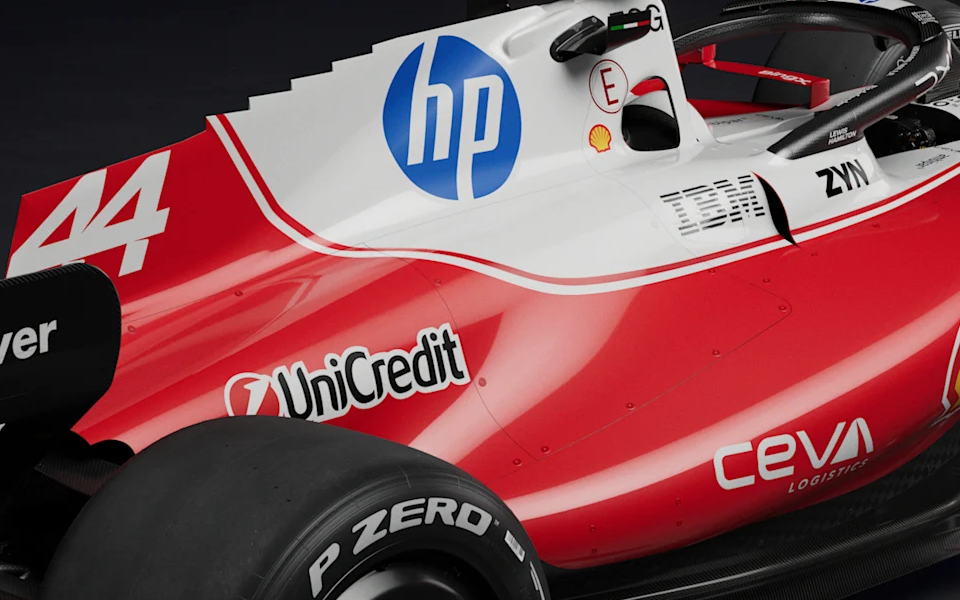
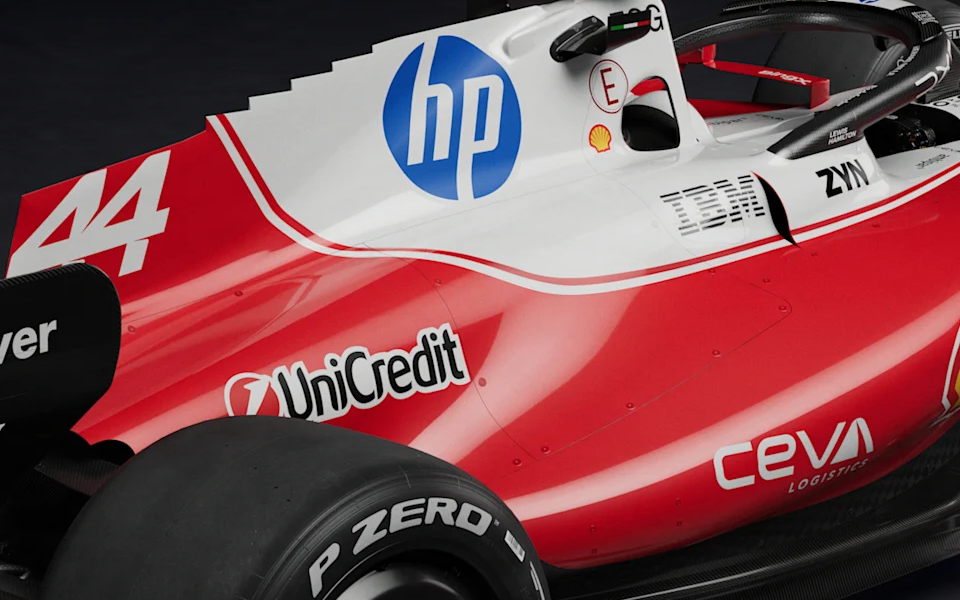 After: the file the API returned
- 47.7 dB
- PSNR across the whole image
- 6 of 255
- largest change to any color value
- 0.8 of 255
- average change per color value
What comes back, format by format.
Etchv tells file types apart by their contents, not their names, and returns the same type. Choose a format to see what is kept, what changes and what is refused.
.jpg.jpg: JPEG in, JPEG out
Written asQuality 100, 4:4:4 chroma
Kept
- Dimensions
- ICC color profile
- EXIF and resolution
Changed
- Re-encoded at quality 100 with full chroma, so the file is usually larger
- Grayscale can be expanded to RGB
Refused
- CMYK JPEG
Limits
- 50 MB and 40 megapixels
.png.png: PNG in, PNG out
Written asLossless
Kept
- Dimensions
- Transparency, byte for byte
- ICC color profile, EXIF and resolution
Changed
- Palette and grayscale images can be expanded to RGB
Refused
- 16-bit PNG
- Fully transparent images
Limits
- 50 MB and 40 megapixels
.png.png: APNG in, APNG out
Written asLossless, animated
Kept
- Every visible frame
- Frame timing and loop count
- The default image setting
Changed
- None beyond the watermark, which is verified in every frame
Refused
- Fully transparent frames
Limits
- 32 frames, default image included
- 40 megapixels across all frames
.webp.webp: WebP in, WebP out
Written asLossless
Kept
- Dimensions and transparency
- ICC color profile and EXIF
- Animation timing and loop count
Changed
- Lossy WebP comes back lossless, so the file is usually larger
Refused
- Fully transparent frames
Limits
- 50 MB and 40 megapixels
- 32 frames when animated
.tiff.tiff: TIFF in, TIFF out
Written asLossless Deflate
Kept
- Every page
- Each page’s own resolution, color profile and descriptive tags
Changed
- JPEG-compressed pages come back with lossless compression
Refused
- 16-bit samples
- CMYK
Limits
- 32 pages
- 40 megapixels across all pages
.gif.gif: GIF in, GIF out
Written as255 colors plus transparency
Kept
- Every frame
- Frame timing and loop count
- The comment block
Changed
- Each frame is re-quantized to 255 colors with a transparency index
Refused
- Fully transparent frames
Limits
- 1 megapixel per frame
- 32 frames
.bmp.bmp: BMP in, BMP out
Written asUncompressed
Kept
- Dimensions
Changed
- A 1-bit bitmap is delivered with 8-bit color
Refused
Nothing specific to BMP.
Limits
- 50 MB and 40 megapixels
.ppm.ppm: PPM in, PPM out
Written as8-bit samples
Kept
- Dimensions
Changed
- None beyond the watermark
Refused
- Anything but P3 or P6 color
- 16-bit samples
Limits
- 50 MB and 40 megapixels
.psd.psd: PSD in, PSD out
Written asLayered
Kept
- Your layer records and pixels, byte for byte
- The document’s ICC profile
- Canvas size
Added
- Two pixel layers: “Etchv watermark +” (Linear Dodge) and “Etchv watermark -” (Linear Burn)
- A merged preview rewritten to match
Refused
- CMYK or 16-bit documents
- Effects that can’t be rendered faithfully
- Transparent composites, or no merged preview
Limits
- 4-megapixel canvas
- 62 layers in your file
.psb.psb: PSB in, PSB out
Written asLayered, large document
Kept
- Your layer records and pixels, byte for byte
- The document’s ICC profile
- Canvas size
Added
- Two pixel layers: “Etchv watermark +” (Linear Dodge) and “Etchv watermark -” (Linear Burn)
- A merged preview rewritten to match
Refused
- CMYK or 16-bit documents
- Effects that can’t be rendered faithfully
- Transparent composites, or no merged preview
Limits
- 4-megapixel canvas
- 62 layers in your file
HEIC, HEIF and AVIF aren’t supported yet. Convert them to JPEG, PNG or WebP first.All image limits
No verified watermark, no file.
A job succeeds only after Etchv reads the watermark back from the exact file it is about to return and compares that file with your original.
A file that fails a check is never returned.
The example at the top of this page measured 47.7 dB.
Output verificationChecked on the final bytes
The file
- Same container, same number of frames or pages
- Animation timing and loop count unchanged
- Your Photoshop layer data unchanged
The picture
- Dimensions unchanged
- Colour profile unchanged
- Transparency unchanged, byte for byte
- At least 35 dB PSNR against your original, encoding loss included
The watermark
- The exact 256-bit watermark read back from every frame, page or layered image
200- Every check passed. You receive the file.
422- A check failed. You receive an error, never a file.
Read it back from the file alone.
Send a copy to the detect endpoint. You don’t need the original. It tells you which watermark it found, how sure it is, and gives a result for every frame or page.
When a copy comes back damaged
A heavily edited or photographed copy can come back with some of the watermark’s 256 bits wrong. If what Etchv reads is within 48 bits of a watermark your organization created, Etchv returns that watermark. Two unrelated watermarks differ in about 128 bits.
What isn’t promised
Resizing, recompression, cropping and screenshots can weaken or remove a watermark. See what 208 photographs survived, then test the edits your images really go through before you rely on it.
31 of 256 bits wrong
Returned
An illustration with a sample watermark. The marked squares are the bits that came back wrong.
How long it takes. What it costs.
Measured on the live API
Median time to finish one request at a time, measured September 29, 2026 on 20 small test images. Larger files take longer. Across every published run, 3,000 of 3,000 image operations completed.
Performance benchmarksCredits for images
- 1
- credit per image watermarked, whatever its frames, pages or layers
- 1
- credit per image checked, whether or not a watermark is found
- 0
- for failed jobs, retries with the same idempotency key and result downloads
- 3×
- credits on GPU, or the standard rate if the request runs on CPU instead
Two requests. That’s the integration.
Embed when a file leaves your system. Detect when a copy comes back.
POST /watermarks/imagescurl --fail-with-body https://api.etchv.com/watermarks/images \
-H "X-API-Key: $ETCHV_API_KEY" \
-H "Idempotency-Key: delivery_0084" \
-F 'file=@launch-hero.jpg' \
-F 'data={"delivery":"delivery_0084"}' \
-D response-headers.txt \
--output response-body200 · image/jpegHTTP/2 200
content-type: image/jpeg
content-disposition: attachment;
filename="launch-hero-watermarked.jpg"
x-watermark-id: ea112880a8774fd1a251…b57654f3
# On 200 the body is the watermarked JPEG.
# Save the full 64-character watermark ID with your record.
# A 202 body is a job receipt instead.POST /watermarks/images/detectcurl --fail-with-body https://api.etchv.com/watermarks/images/detect \
-H "X-API-Key: $ETCHV_API_KEY" \
-F 'file=@found-copy.jpg'200 · application/json{
"watermarked": true,
"watermark_id": "ea112880a8774fd1a251…b57654f3",
"confidence": 0.99,
"units": [{
"index": 0,
"watermarked": true,
"confidence": 0.99,
"watermark_id": "ea112880a8774fd1a251…b57654f3"
}]
}Where images need a way back.
The same two requests serve different jobs. What changes is the record the watermark leads to.
- Product launches
Renders under embargo
Launch imagery goes to agencies, retailers and press weeks early. Each partner’s files carry that partner’s own watermark.
The watermark leads toDelivery recordContent security - Film, TV and games
Key art and concept work
Posters, stills and layered concept art move between studios and vendors. PSD layers stay editable for the next artist.
The watermark leads toVendor and versionContent security - Design review
Proofs before sign-off
Every reviewer gets their own copy of a mockup, so a proof that travels further than intended points to one review round.
The watermark leads toReview roundContent security - Licensed photography
Clean files for clients
Deliver the photograph without a stamp across it. A copy found in use leads back to the license it was issued under.
The watermark leads toLicense and termsCreative delivery - Retail and marketplaces
Imagery for resellers
Product photos supplied to each reseller carry that reseller’s own watermark, so a reused image shows which feed it came from.
The watermark leads toReseller feedCreative delivery - Generative AI
Outputs with a record
Mark each image as it is generated and keep the model, prompt reference and owner in your own generation record.
The watermark leads toGeneration recordAI provenance
Your images.
Traceably yours.
Start with 200 free credits: enough to watermark or check 200 images.
7 days · 200 credits · No card required